


The Shopify App Store offers over 8,000 apps that expand your online store’s functionality. Some are paid, others are free. All are designed to enhance your e-commerce site.
This article presents the essential apps for optimizing your Shopify store. Each tool addresses a specific need: customer reviews, email marketing, SEO, order management, or data analysis.
Apps for Order Management and Printing
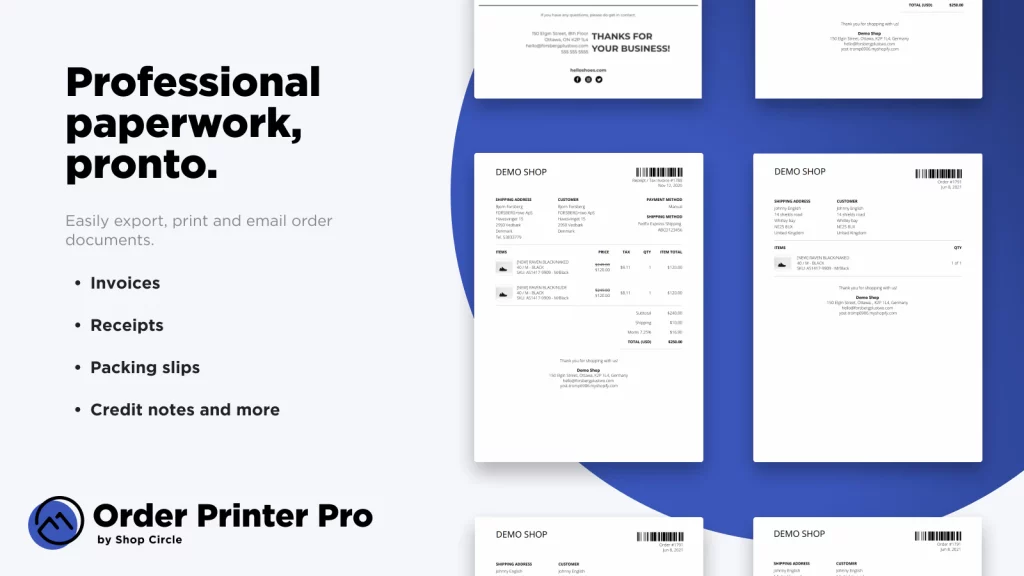
Order Printer Pro simplifies document printing for your store. You can create custom invoices, labels, and shipping slips in just a few clicks. The app enables bulk printing to expedite your deliveries. It offers customizable templates to meet all your printing needs.
Shippo centralizes your shipment management. The app integrates your Shopify orders and generates shipping labels with a single click. You select the package dimensions, collection date, and your carrier. The label is ready in a few seconds. A free plan is available.
Dropshipping and Print-on-Demand Apps
DSers simplifies AliExpress order management for dropshipping stores. The tool processes hundreds of orders simultaneously and automates shipment tracking. You import products with automatic stock and price updates. The free plan covers up to 3 stores and 3,000 products. A 14-day trial is offered for the paid plan.
Spocket connects your store to European and American suppliers. Delivery times are shorter than with Asian suppliers. The app offers quality products with appealing margins. A free plan allows you to test the service.
Printful enables you to sell custom products without managing inventory. You can create embroidered t-shirts, personalized blankets, or mugs with your brand. The app manages production, printing, and shipping. The free installation provides access to the design creator, mockup generator, and order management.
Customer Review and Trust-Building Apps
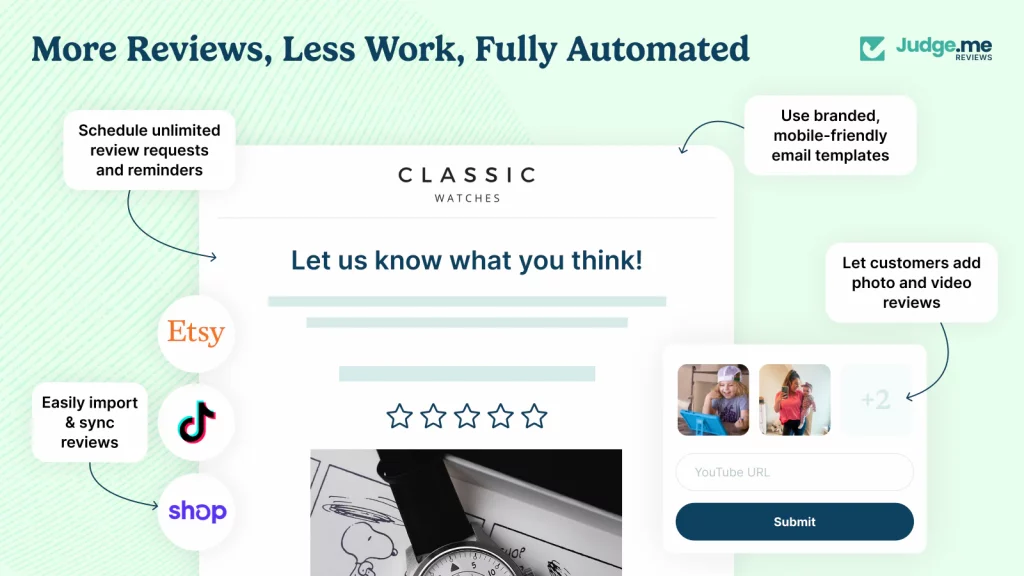
Judge.Me collects and displays your customer reviews. The app works in 38 languages and improves your conversion rate. It sends automatic email notifications containing photos and videos. You can import existing reviews and track your orders. Reviews are displayed with stars in Google results. A free plan is available.
Yotpo helps generate product reviews that you can share on social media. The app generates qualified traffic and increases sales through social proof. It builds trust with your visitors. A free plan is offered.
La Société des Avis Garantis is a French solution for collecting and displaying customer reviews. It associates each product with its review and offers customizable emails. Reviews are shared across all your stores. The widget adapts to your brand colors and redirects to Google My Business. Pricing starts at $24.90 per month.
Trust Badges Bear adds trust badges to your site. Visitors gain confidence in your store’s reliability. The free app offers 300 editable badges that integrate with your design. Badges are displayed on all pages or only on specific pages.
Social Media Selling Apps
Post Studio automatically publishes your products on social media. The app synchronizes your catalog and promotes your new arrivals. A free plan is available.
The Meta app manages your sales on Facebook and Instagram directly from your Shopify interface. It synchronizes inventory, processes orders, and handles returns. You can analyze the performance of your advertising campaigns. Installation and operation are free; you only pay for your ad campaigns.
Google Channel publishes your products across Google’s advertising spaces. Your items appear on Search, Shopping, YouTube, and Gmail. The app is free and boasts a 4.5-star rating.
Pinterest connects your store to the social media platform. You can publish your products organically or through paid promotions. A free plan is available.
Order Tracking Apps
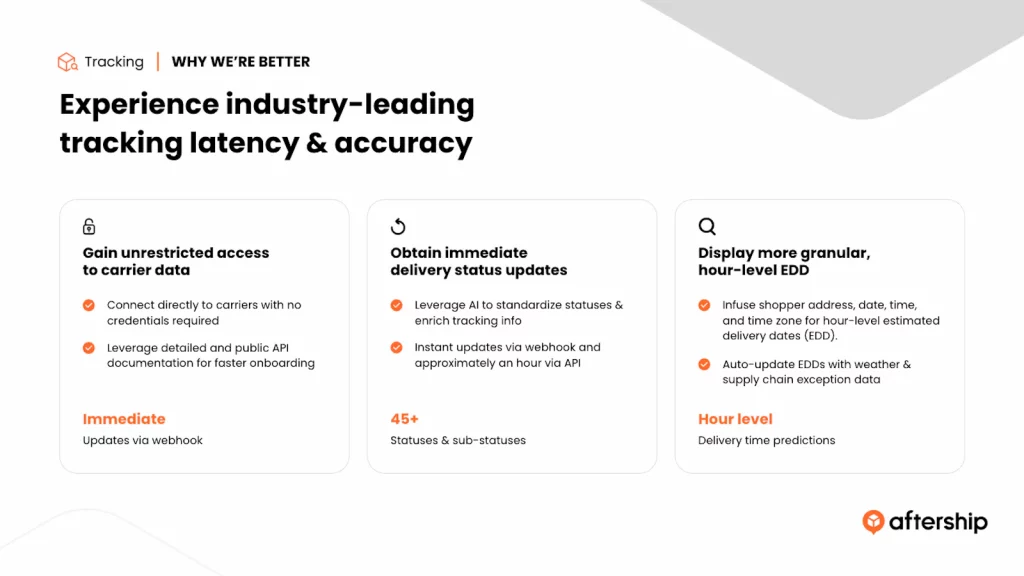
AfterShip provides order tracking that reassures your customers. The app reduces inquiries about lost packages and enhances delivery efficiency. A personalized tracking page and automatic notifications keep your customers informed. A smart widget displays estimated delivery times on each product page. The dashboard analyzes your carriers’ performance. The free installation covers up to 50 shipments per month.
SEO and Optimization Apps
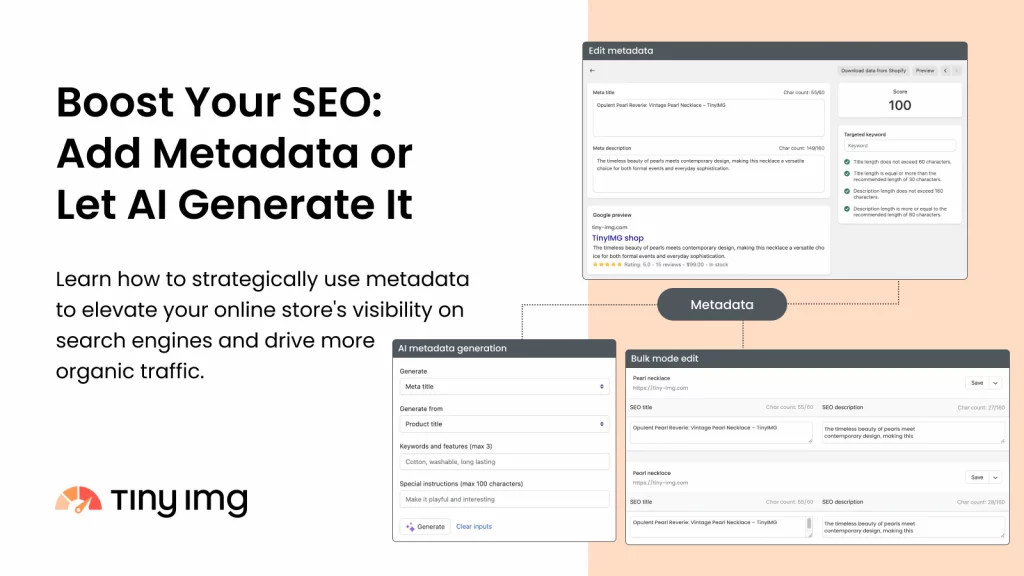
SearchPie improves your store’s SEO. The app focuses on speed and local visibility. It detects SEO issues through regular reports. You can bulk update your meta titles, meta descriptions, and tags. Image compression improves loading speed. Instant Page and AMP features accelerate mobile display. A free plan and a trial period are offered.
Plug in SEO identifies areas for improvement in your SEO. The app corrects and optimizes tags, multilingual content, structured data, and rich snippets. It has a 4.7-star rating. A free plan is available.
Tiny SEO Image Optimizer reduces the size of your images and optimizes them for SEO. Your page loading speed improves, and your visibility increases. The free version offers 50 images per month. Paid versions cost between $0.99 and $4.99 per month.
Personalization and Recommendation Apps
LimeSpot Personalizer increases conversions and average order value through personalized recommendations. The platform relies on data and artificial intelligence. It improves product placements and delivers personalized shopping experiences across mobile, web, email, and SMS. You can create recommendations on any page and segment your audiences. A free plan and a trial period are offered.
Potions personalizes your store’s display without using cookies. The app analyzes local browsing data in browser databases. It organizes products to generate optimal performance. Personalized recommendations are displayed at strategic moments in the customer journey. Pop-ups are triggered only for visitors likely to engage.
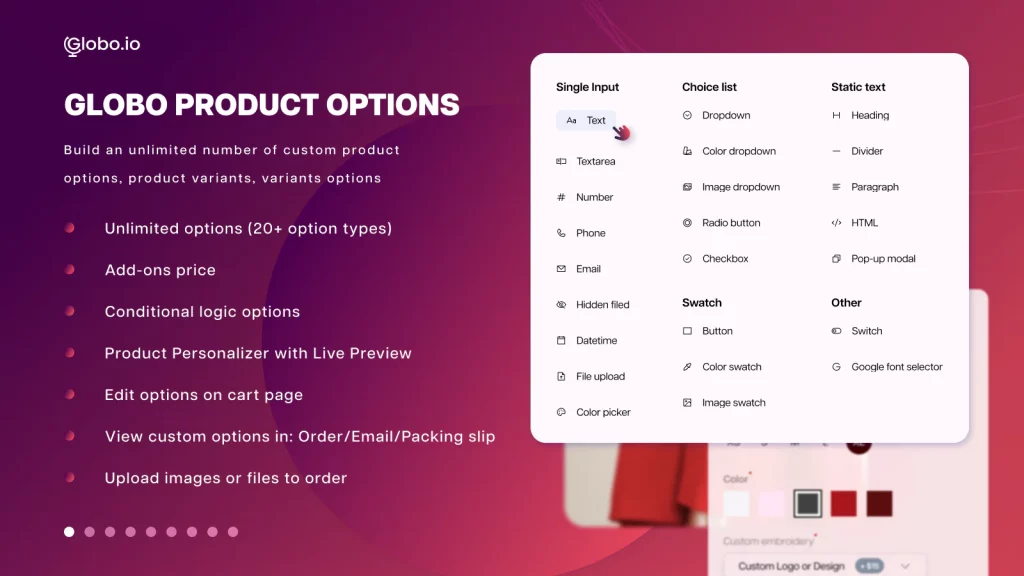
Globo Product Options creates an unlimited number of options and variants for your products. Your customers can customize their purchases by adding text, varying colors, or uploading images. A free plan and a trial period are offered.
Page Building Apps
PageFly Advanced Builder creates pages for your store with numerous templates. The app offers a simple drag-and-drop system. It has a 4.9-star rating. A free plan is available.
Shogun Landing Page Builder facilitates page creation with templates and drag-and-drop functionality. The price is $39 per month.

Email Marketing and Automation Apps
Klaviyo specializes in email marketing for e-commerce merchants. The tool also manages SMS and social media advertising. It integrates data analysis to create targeted campaigns. You can send abandoned cart emails and segment your customers. Klaviyo communicates the right message to the right people at the right time.
Omnisend manages multiple marketing channels under one roof: email, SMS, and social media. Automation and segmentation enable sending personalized messages based on specific triggers. Multichannel integration offers a consistent customer experience that increases conversions.
Privy grows your SMS list and automates emailing strategies. The app recovers abandoned carts through pop-ups and SMS. A free plan is offered, with paid plans starting from $12 per month.
Shopify Email creates campaigns directly from your dashboard. You can send branded emails to your subscribers in just a few clicks. Predefined templates incorporate your logo, product images, and descriptions. You can customize the text and buttons in minutes. The free installation allows sending up to 10,000 emails.
Analytics and Tracking Apps
Peek! captures user sessions and creates surveys. You can track detailed metrics such as browser type, session duration, and geolocation. This data identifies friction points in your sales funnels. You also collect direct feedback from your customers. A free plan and a 7-day trial are available.
Report Pundit provides access to in-depth Shopify data. You can create custom reports or use templates. Cohort tables, graphs, and analyses cover sales, products, inventory, taxes, orders, and third-party app data. A free plan and a trial period are offered.
Search and Navigation Apps
Shopify Search & Discovery displays the right product at the right time. You can create product search, filters, and custom recommendations. Personalized results meet your customers’ needs. Data analyzes your customer journey. The app is free.
Boost Commerce improves your store’s search and filtering functions. Customers can easily browse categories, tags, and attributes. Advanced search offers automatic suggestions and typo tolerance. Filters can be configured by price, brand, or reviews. The analytical dashboard tracks the impact on sales.
Smart Product Filter & Search adds advanced filters and smart search with suggestions. You can analyze buyer behavior through reports. The price is $19 per month for up to 1,000 products.
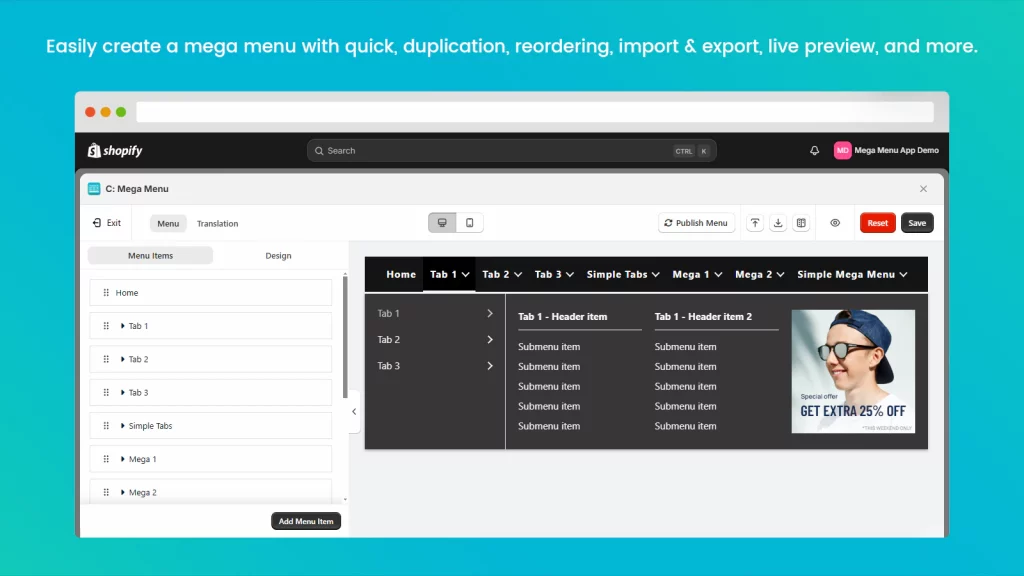
C: Mega Menu facilitates navigation with a dropdown menu containing multiple sub-levels, images, and featured products. The app is free for up to 3 mega menus.
Loyalty and Rewards Apps
Smile.io implements a loyalty program on your store. You can create a points system, a referral program, and a VIP program. The free version is available. Paid versions range from $49 to $599.
Rise Gift Cards & Loyalty creates a loyalty and rewards program. You can retain your customers and encourage repeat purchases. The app offers gift cards. You can automate and personalize your programs with gifts and cashbacks. A free 7-day trial is offered. Paid plans range from $19.99 to $599.99 per month.
Growave combines customer reviews, wishlists, loyalty programs, and rewards in a single app. It reduces the number of apps installed on your store.
Affiliate and Referral Apps
Referral Candy encourages your customers to promote your products in exchange for rewards. You choose the type of rewards: cash, coupons, or gifts. Data tracking and detailed reports analyze your referral strategy. The free trial lasts 30 days, after which the plan costs $49 per month.
Guru Club encourages your customers to promote your products on Instagram in exchange for cashback. The app is free. You pay a 5% commission on the product price, with a cap of $10 for each Instagram story.
Pop-up and Banner Apps
Hextom: Quick Announcement Bar creates custom banners to inform your customers or promote an offer. You can automate messages based on countries or pages. Banners adapt to your traffic source: Facebook Ads, Twitter, or Pinterest. They are fully responsive. The app is free.
Free Shipping Bar highlights free shipping with prominent messages. You can congratulate your customers for a free shipping purchase or display the remaining amount needed to qualify. You can customize the colors and text. The app is free.
Justuno Pop Ups implements an automated pop-up system. You can highlight an offer or an alert. The editor is easy to use, and you can analyze your campaign results. The app increases your conversion rate. It is free for up to 5,000 visitors per month.
Social Proof & Sales Pop Up displays real-time sales notifications. These notifications create a sense of trust and urgency for visitors. The app is customizable to adapt to your brand. Notifications are targeted based on geolocation or the product viewed.
International Apps
Auto Currency Switcher automatically converts currencies. Product prices are displayed in the currency of your international customers. The purchase at checkout is made in your store’s default currency. The app is free and has a 4.8-star rating.
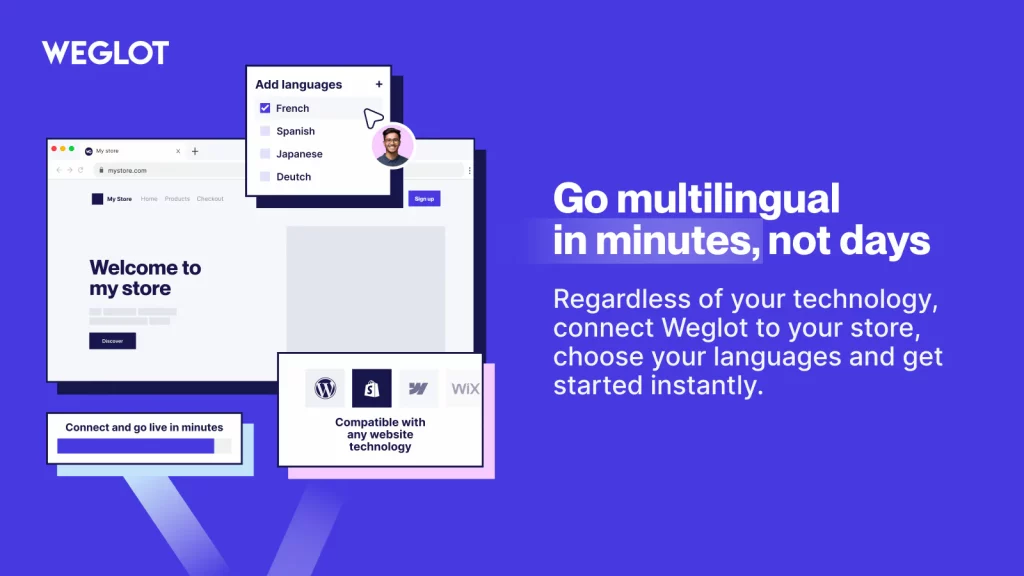
Weglot offers your store in multiple languages. You manage the integration of your translations into your site. The app is free for up to 2,000 words translated into one language.
Apps for Images
Pixc Photo Resize standardizes your photos to make your store more professional. You can resize your photos, change the background, and modify ratios. The app offers 50 free images upon installation. The unlimited plan costs $19.99 per month.
Buy Button Management Apps
Buy Button Channel builds embeddable buttons for almost any blog or website. You can create, integrate, and share your products on the web. The buttons are customizable to adapt to your branding. You can generate links to your payment page to share on social media.
Wishlist Apps
Swym WishList Plus helps increase your online sales. Your customers save items and create wishlists. Wishlists work even without logging in and can be shared via email, SMS, and social media. You can create email campaigns based on events. A free plan and a trial period are available.
Data Management Applications
Webtify Data Fields Editor adds data fields for your customers, products, and orders. You can import your data into spreadsheets for an overview. Meta fields are not related to SEO. A free plan and a trial period are offered.
Gift and Promotion Applications
Gift Box optimizes sales by offering gifts in exchange for certain actions. Pricing starts at $29.99 per month.
How to Choose the Right Shopify Apps
Choosing an application depends on your specific needs. Here are the criteria to consider:
- The features offered must match your objectives. A new store does not have the same needs as an established store. Free applications allow you to test without financial commitment.
- User ratings and reviews indicate an application’s reliability. A rating above 4.5 stars and several hundred reviews suggest a quality application. Read the comments to identify potential issues.
- Ease of use is important. Applications with too steep a learning curve slow down your productivity. Prioritize tools with an intuitive interface and good customer support.
- The pricing must match your budget. Some applications offer free plans with limitations. Others provide free trials to test before committing. Calculate the potential return on investment before paying.
- Compatibility with your theme and other applications avoids technical conflicts. Ensure the application works with your Shopify version and existing tools.
How to Install a Shopify App
Installing an application on Shopify involves a few simple steps:
- Log in to the Shopify App Store from your admin interface. Use the search bar to find the desired application. Browse categories if you are looking for a solution to a specific problem.
- Click on the application to access its detailed page. Read the description, features, and reviews. Check the screenshots to understand the interface.
- Click the “Install” button on the application page. A new window will open in your Shopify admin interface. Read the permissions requested by the application.
- Click “Install” to authorize the application’s use. The application will install and appear in your app list. Follow the application-specific configuration instructions.
Some applications require additional configuration. Connect your external accounts if necessary. Customize the settings according to your needs. Test the application to ensure it functions correctly.
How Much Do Shopify Apps Cost
Shopify applications offer various pricing models.
- Free applications offer basic features without monthly fees. They are suitable for new stores or those with simple needs. Some free applications offer optional paid features.
- Freemium applications combine a free plan with paid plans. The free plan offers limited features. Paid plans unlock advanced features. This model allows you to test before paying.
- Paid applications charge a monthly subscription. Prices range from a few dollars to several hundred dollars per month. The pricing depends on features, transaction volume, or the number of users.
- Commission-based applications take a percentage of your sales. This model is common for affiliate or dropshipping applications. You only pay if you generate sales.
- Applications with a free trial allow you to test all features for a limited period. The duration varies from 7 to 30 days. You decide if the application is worth its price before paying.
Shopify Apps FAQ
How many Shopify apps can be installed on a store?
Shopify does not limit the number of applications you can install. However, installing too many applications can slow down your store and create conflicts. Limit yourself to essential applications to maintain good performance.
Do Shopify apps slow down the site?
Some applications can slow down your store if they are poorly optimized. Applications that load many scripts or images impact speed. Regularly test your site’s speed and uninstall unnecessary applications.
Can multiple applications of the same type be used?
You can install several similar applications, but it is generally not necessary. Two customer review applications or two SEO tools can conflict. Choose the most comprehensive application for your needs.
How to Uninstall a Shopify App?
Access your Shopify admin interface and click “Settings.” Select “Apps and sales channels.” Find the application to uninstall and click “Uninstall.” Confirm the uninstallation.
Are free applications reliable?
Many free applications are reliable and high-quality. Check the ratings, reviews, and number of installations. Reputable developers often offer free versions to attract customers to their paid plans.
Are technical skills required to use Shopify applications?
Most Shopify applications are designed to be user-friendly. They do not require coding skills. Some advanced applications may require technical knowledge for custom configuration.
How to find the best applications for your industry?
The Shopify App Store offers categories by industry. You can filter applications according to your industry: fashion, beauty, food, or home decor. Read use cases and testimonials to identify suitable applications.
Are Shopify applications available in French?
Not all applications are available in French. Check the supported languages on the application page before installation. Some applications offer an English interface but allow display in French for your customers.
Conclusion
Shopify applications extend the functions of your online store. They improve customer experience, increase sales, and simplify daily management.
Start by identifying your priority needs. A new store benefits from basic applications: customer reviews, email marketing, and order tracking. An established store can invest in advanced tools: personalization, data analysis, and automation.
Test applications before committing. Free plans and trials allow you to evaluate if the tool meets your expectations. Monitor the impact on your site’s performance.
The Shopify App Store offers thousands of applications. Focus on tools that solve your specific problems rather than installing all available applications. A high-performing store uses a few well-chosen applications rather than dozens of mediocre tools.
To choose, install, and optimize these applications, there’s nothing like entrusting the responsibility to a Shopify agency: you will be certain that everything is set up without bugs, and you will achieve an optimal configuration that will increase your conversion rate.


